
Take attendance
A teacher marks the class register from a phone. The office sees absences across the school immediately.
This short tour follows the work a head teacher, teacher, bursar and parent do every day. It works from an ordinary phone or laptop, with nothing to install.
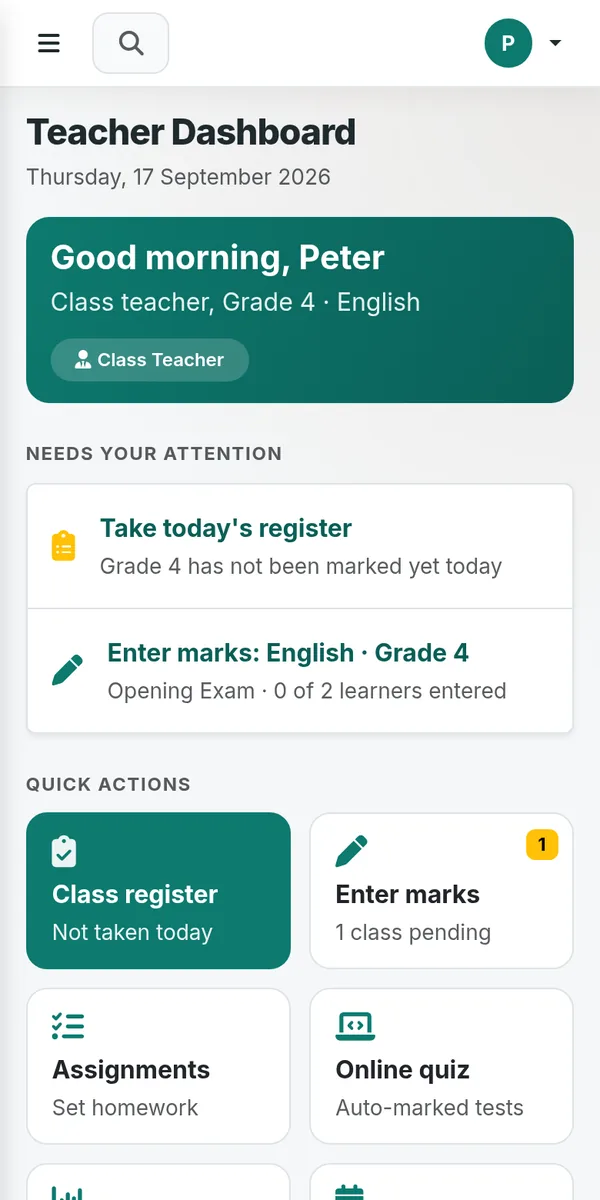
Each person signs in to their own view and sees only the tools their role allows.
A teacher marks the class register from a phone. The office sees absences across the school immediately.
Teachers enter scores per learning area. Results, rankings and printable report cards are prepared automatically.
Invoices, balances and receipts stay together. M-Pesa payments are matched to the correct learner.
Create the school timetable from teachers, rooms and lessons, then print it per class or teacher.
Record IEP goals, progress and parent conversations for learners who need individualized support.
Parents see results, attendance and balances in their portal and can receive school SMS updates.
The same information moves from the classroom to the office and the parent without being copied between books.
Attendance is available to the office as soon as it is saved.
The teacher records assessments from a phone or laptop.
The head teacher and bursar see performance, fees and tasks that need attention.
Each parent sees only their own child's results, attendance and balance.
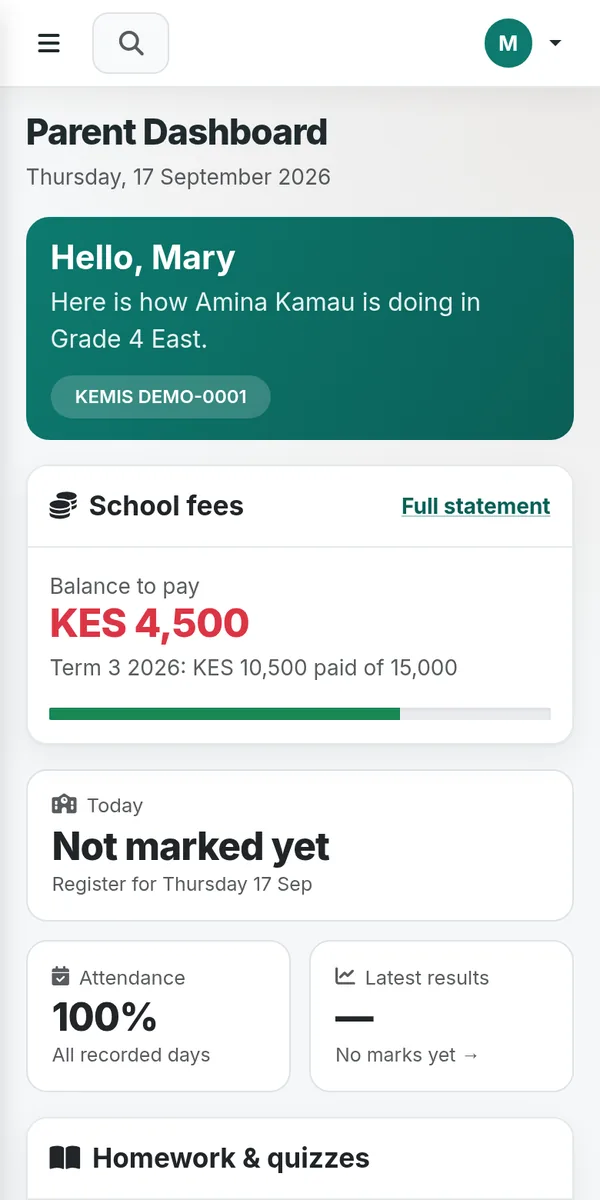
A parent account is linked only to that parent's child. It gives families a clear place to follow school information and make fee payments.
The core portal is free to create. We can also guide you through setup privately.